
Respondent
Find the responding organization or person.
Review vendor and compliance responses in a structured table.
Security and compliance questionnaires can be repetitive but still require careful checks. This template surfaces controls, exceptions, evidence, and deadlines in one view.
Upload questionnaire PDFs, DOCX responses, spreadsheet exports, or evidence URLs, apply the Compliance questionnaire template, and prioritize follow-up questions from the table.
The demo uses sample data. You will see how primary sources become rows by default, how related attachments can stay with them, how a template prepares columns, and how to review the result before export.
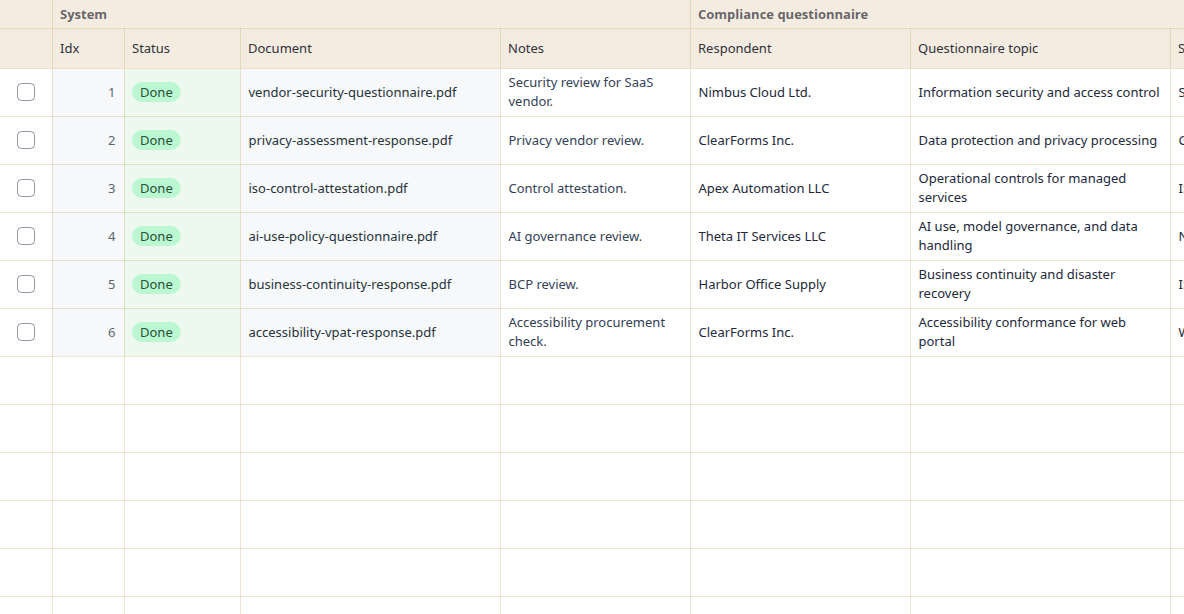
The Compliance questionnaires template prepares columns such as Respondent, Questionnaire topic, Standards referenced, Key controls, Exceptions. You can adjust the fields or add custom questions.
After sign-in, copy the template to your own templates, rename columns, adjust instructions, and add custom questions. Test it on a few typical sources before using it repeatedly.
Each output column has its own instruction. The examples below are shortened, but they come from the actual built-in template.
Find the responding organization or person.
Identify the compliance, vendor, security, privacy, or policy topic.
Extract standards, frameworks, or certifications mentioned.
The template works well for adding several similar documents or text sources in a batch. Each primary source becomes one table row by default, and related attachments can stay with it.
The sample values are synthetic. Always check important values against the original source.
| Source | Respondent | Questionnaire topic | Standards referenced | Key controls | Exceptions |
|---|---|---|---|---|---|
| vendor-security-questionnaire.pdf | stated in source | stated in source | stated in source | check required | check required |
| privacy-controls-response.pdf | value to verify | value to verify | value to verify | verify in annex | verify in annex |
| iso-compliance-attestation.pdf | fill after review | fill after review | fill after review | needs review | needs review |
It is a starting setup for processing similar documents or text sources into a table. Rowvia prepares one row per primary source by default, keeps related attachments with it when useful, and creates columns based on this template.
Yes. The template is only a starting point. You can edit, remove, or add columns with your own questions for the fields you need.
Typical fields include Respondent, Questionnaire topic, Standards referenced, Key controls. Important values should be checked against the original source before use.
No. The output is a working table for review and export. Accounting, legal, insurance, public-sector, or technical decisions still require checking important values in the original document.
Open the app, run the demo, or review the workflow this template supports.